Map experiences. Extract insights. Run workshops.
The workspace consultants actually use to run strategy work. A playbook instead of a blank board, insights from canvases and transcripts, a workshop you can run in the room, and a pack the sponsor takes with them.
14-day Pro trial · No card required · Export to PDF & PPTX
Run the short sessions with a client team, then hand them the follow-through
The same five sessions teams run for themselves are in your catalogue. Use one to open an engagement; the agreed actions, owners and review dates stay on the run for the team to review.
See the team sessions → · Worked templates → · How it compares →
From playbook to room to pack — without rebuilding the deck
Start a playbook, map the experience, extract what matters, run the room, walk out with the pack. One workspace, end-to-end.
AI insight extraction
Surface pain points, jobs-to-be-done, opportunities, assumptions, and patterns from your canvases and journey maps. Insights are typed, frequency-counted, and ready to drive recommendations.
Transcript import
Paste an interview, customer call, or workshop transcript and get a structured first pass — themed, scored, and slotted into the right canvas sections so you can spend your time on the analysis.
Playbooks, not blank boards
Forty consulting playbooks — strategy, CX, EX, product, ops — that provision the canvases and maps for the engagement. Start a run; do not invent the method every Monday.
Canvases that connect
Business Model, Lean, Value Proposition, JTBD, Empathy Map, SWOT, Delegation Canvas — and they all feed into the same insight pipeline so signal travels across artifacts, not just within them.
The room, then the pack
Timed workshop rounds bound to journey phases, names hidden, votes ranked. Presentation mode and PDF/PPTX so the sponsor leaves with a deliverable, not a photo of a wall.
Built for client work
Workspaces, clients, and projects keep client data separated. Passkey + 2FA sign-in. Move-to-trash with 30-day restore. Per-workspace ownership so what your team sees stays inside your team.
Find the right tool
Answer two quick questions and we’ll recommend the best canvases and journey maps for your situation.
Who are you?
Pick the role that best describes you.
Journey mapping guide
Everything you need to know — from foundational theory to practical application.
Step 1 of 7
What is a journey map?
A journey map is a visual representation of the process someone goes through to accomplish a goal. It tells the story of an experience from the person's perspective — what they do, think, and feel at each stage.
The five-zone anatomy (Nielsen Norman Group)
Built around how consultants actually work
JourneyMap is shaped by a small cohort of consultants using it on real client work. Here are the practice areas it's sharpest for today.
Getting the lived vs. stated story straight
Run interviews, drop transcripts in, watch the gap between what leadership says and what employees experience surface as Depth-tier lanes on a journey map. Pain points roll up into the project Insights view.
Mapping experiences end-to-end without a Miro mess
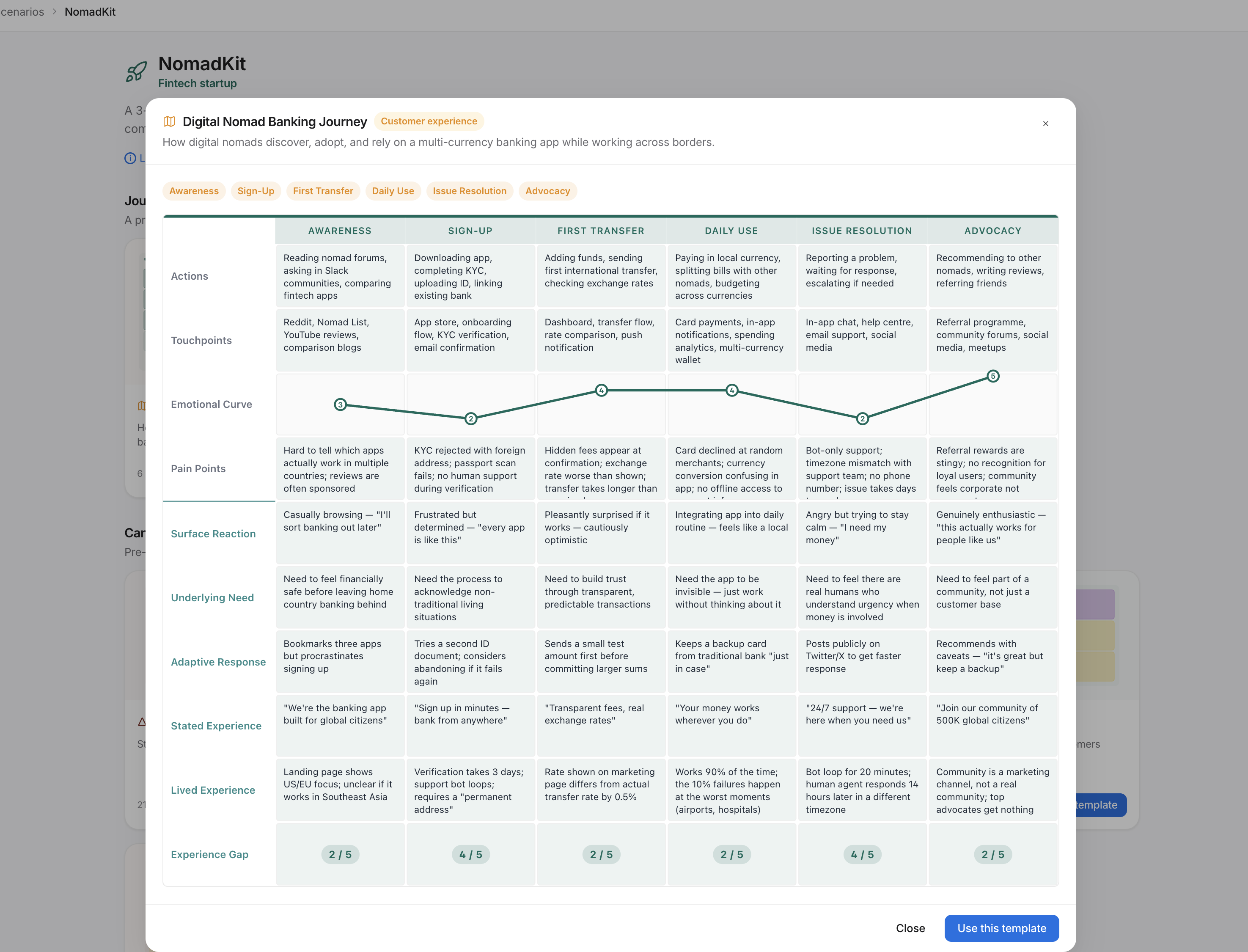
Pre-filled scenarios for onboarding, support, and lifecycle journeys give you a working starting point in minutes. Customise lanes and phases per client; Co-pilot fills cells from the brief.
Interview to insight in one workspace
Paste a transcript, get themed pain points, jobs-to-be-done, and opportunities back. Review and accept what's real; insights are typed and frequency-counted, ready to drive recommendations.
Frameworks your client can actually keep
Run sessions in presentation mode, capture what's said live, and share a clean read-only link afterward. The full canvas — Personal BMC, Delegation Canvas, Pre-mortem — stays accessible without exporting.
Working in a different practice area and want to see if JourneyMap fits? Tell us about your workflow — we're still shaping the next round of templates.